Documentation / Settings
Tray
Choose menu-bar totals and the reminder to resume after sleep.
On this page
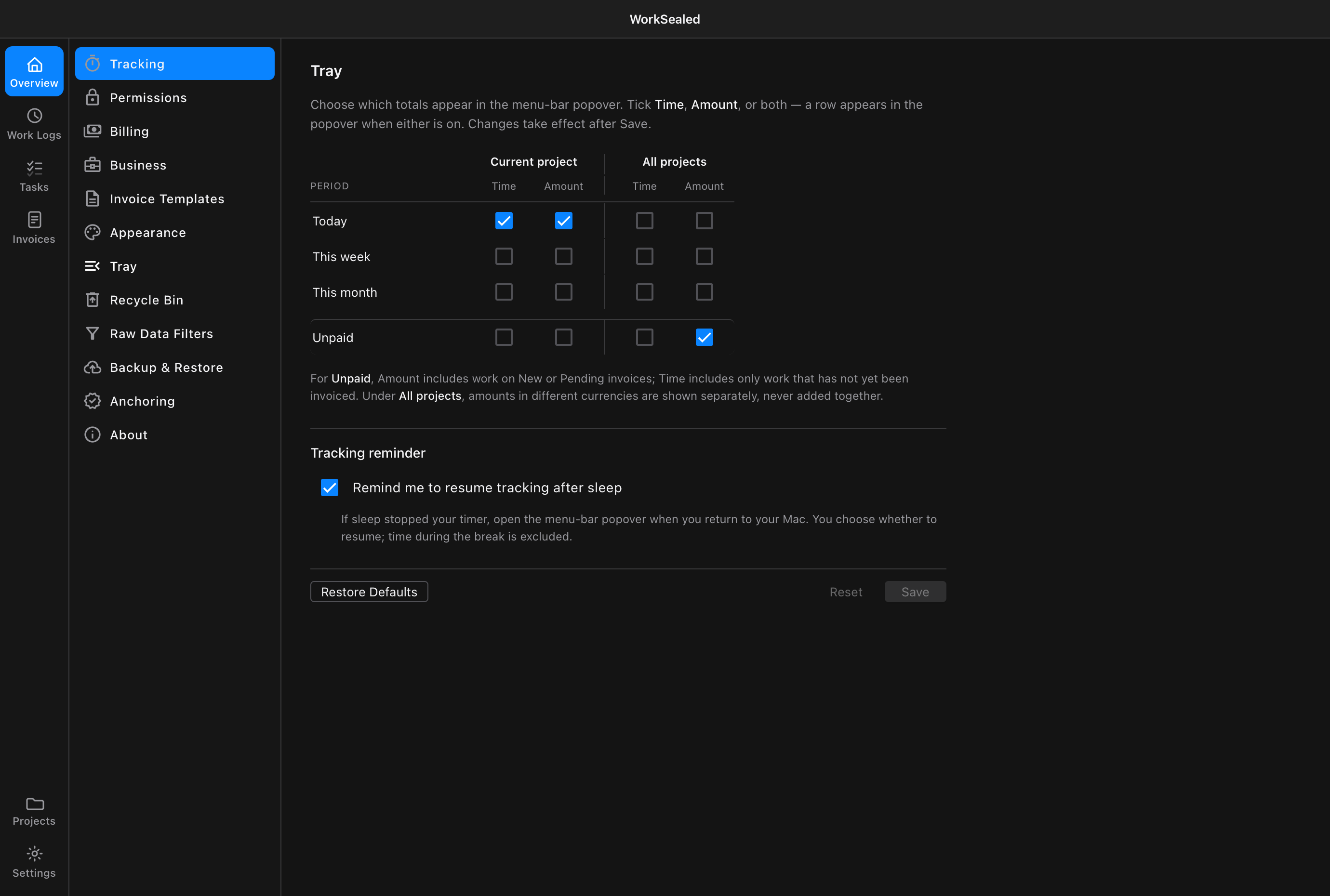
Choose which totals to show
The matrix is organized by:
- Scope: Current project or All projects.
- Row: Today, This week, This month, or Unpaid.
- Metric: Time and Amount checkboxes for each row.
To configure the popover:
- Enable Time, Amount, or both for each row you want to show.
- Turn both metrics off to hide a row.
- Choose .
Understand Unpaid
Unpaid is not a date range. Its two metrics cover different sets:
- Amount includes work on New or Pending invoices as well as the applicable uninvoiced work.
- Time includes only work that has not yet been invoiced.
Across all projects, amounts in different currencies are shown separately rather than added together. Do not interpret an Unpaid time figure as a duration equivalent of every outstanding invoice amount.
Reminder after sleep
- Enable Remind me to resume tracking after sleep.
- When you return after sleep stopped the timer, open the menu-bar popover.
- Choose whether to resume.
Tracking does not resume automatically, and time during the break is excluded.
Reset and Restore Defaults
- : discard unsaved edits.
- : stage the factory choices. Choose to persist them.
Factory defaults enable:
- Today’s time and amount for the current project.
- Unpaid amount for all projects.
- The sleep reminder.
Need a hand? Contact support.