Documentation / Settings
Tracking
Control activity consent, idle decisions, and how tracked activity becomes work logs.
On this page
Activity recording consent
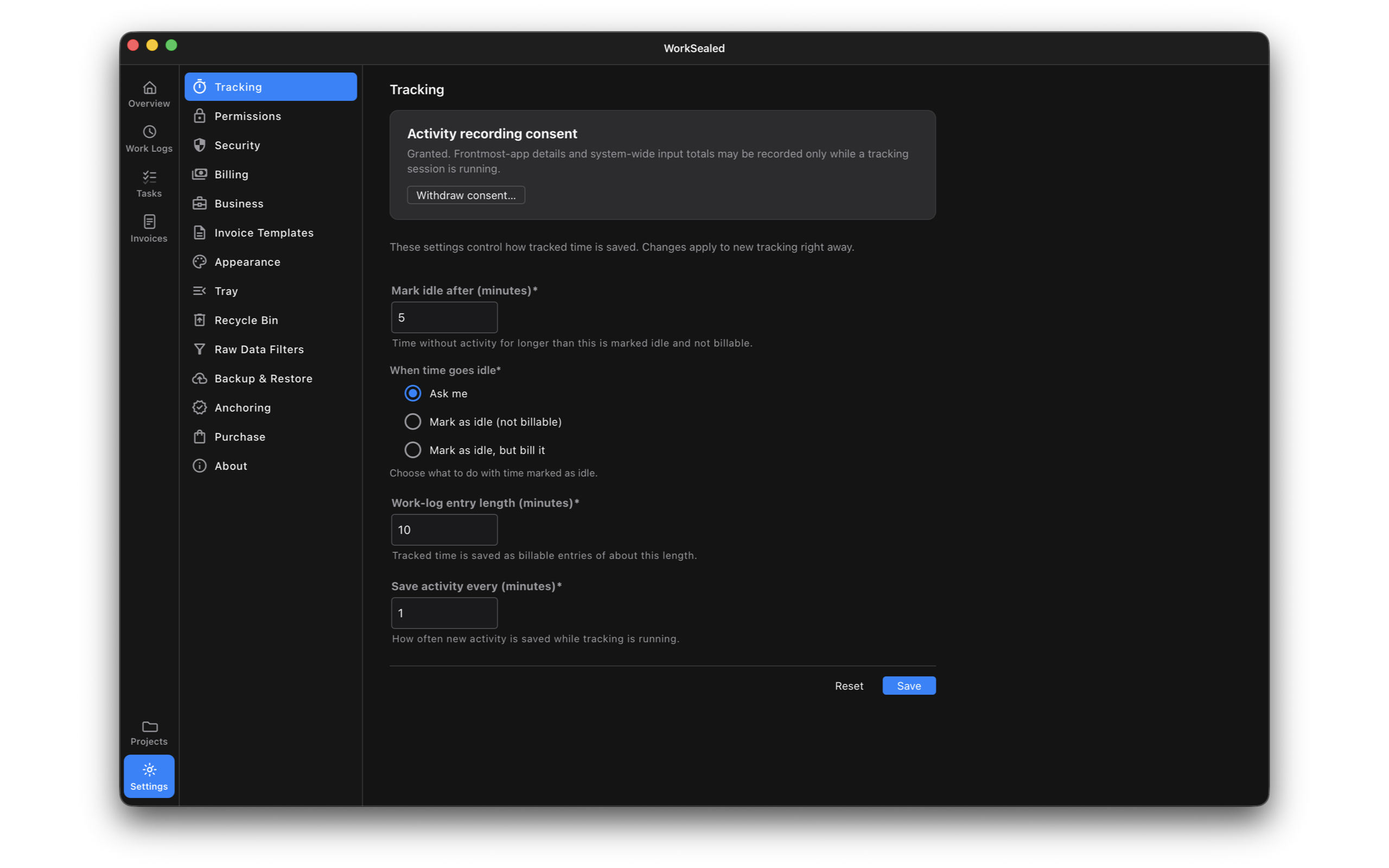
The consent card shows whether activity recording is granted.
- Grant consent: choose , read the disclosure, and make an explicit choice.
- Begin recording: start a task; granting consent alone does not start recording.
To withdraw consent:
- Choose .
- Choose .
Withdrawal immediately stops an active session and blocks future recording. Existing work logs and evidence are kept.
Mark idle after
- Threshold: Mark idle after (minutes) sets how long inactivity must last before it is classified as idle.
- Minimum: one minute.
- Initial billing status: idle time starts as non-billable.
When time goes idle chooses the handling:
- Ask me: leave an idle decision for you to resolve when you return. Until resolved, idle time is not billable.
- Mark as idle (not billable): keep the captured idle records and exclude them from billing without asking. This does not delete the records.
- Mark as idle, but bill it: retain the idle portion and mark it billable; its idle flag remains visible as evidence.
Inspect both idle and billable status in Work Logs when reviewing a session. A retained idle interval is not automatically evidence of active work. Notifications are optional; without them, pending idle decisions remain in the menu-bar popover.
Work-log entry length
- Purpose: Work-log entry length (minutes) sets the approximate length of billable entries produced during tracking.
- Early completion: a record can finish when a session stops, so durations can vary.
- Sealing: completed records are sealed. This setting does not control screenshots; WorkSealed does not take them.
Save activity frequency
- Purpose: Save activity every (minutes) controls how often activity is saved during a running session.
- Separate intervals: saving frequency and work-log entry length are independent.
- Minimum: both values must be at least one minute.
Apply changes
- : apply edits to new tracking.
- : restore saved values in the form.
Changing settings does not reshape or rewrite existing sealed records.
Need a hand? Contact support.